New Mode
Item Database
This view replaces the live map so the database can become its own proper tool. Search, category browsing, icons, and true stat blocks can grow here without crowding POIs.
Catalog shell live
0 items visible
Map state stays preserved underneath while you browse here.
No matching items for that search yet.
Character Tools
Skills & Professions
An in-app catalog of every profession, passive ability, and core attribute, now with a Gloria Victis build planner for routing attributes and talents in one screen. Cards still open full detail panels, and professions still deep-link to the full tree graph view.
Catalog shell live
0 entries visible
Talent Planner
Ability Points Left
0
A rebuilt glass-board layout for the full talent tree. Commit points into real ability icons, follow the live route lines, and keep the build summary anchored to the left.
Build Reference
Food & Consumables
Consumables Info
You can maintain only one buff from one consumable in this category.
Consumable
Dosage
Effect
Full Dose Duration
Production
Side Effect
Concentration Brew
3
+15% Combat XP
2 Hours
Craftable
10 Mins Toxicity
Inspiration Tincture
7
+30% XP, +30% Crafting XP, +15% Crafting Chance
12 Mins
Craftable
12 Mins Toxicity
Flaxseed Jam
7
-30% Bleeding Duration
6 Hours
Craftable
15 Mins Toxicity
Rue Brew
7
-35% Damage from Bleeding
6 Hours
Craftable
15 Mins Toxicity
Endurance Brew
7
+10% Shield Endurance
6 Hours
Craftable
15 Mins Toxicity
Anaesthetic Tincture
7
-20% Block Stamina Cost, -%20 Shield Endurance
6 Hours
Craftable
15 Mins Toxicity
Protectant Tincture
7
-10% Received Damage
6 Hours
Craftable
15 Mins Toxicity
Vitality Tincture
5
+10% Health
5 Hours
Craftable
15 Mins Toxicity
Mistletoe Decoction
7
+15% Health Regeneration
6 Hours
Craftable
15 Mins Toxicity
Fatigue Brew
4
+10% Stamina Regeneration
4 Hours
Craftable
15 Mins Toxicity
Brawn Honey
10
+25% Stamina Regeneration
6 Hours
Craftable
30 Mins Toxicity
Mineral Brew
7
+10% Health Regeneration, +15% Stamina Regeneration
6 Hours
Craftable
15 Mins Toxicity
Digestion Tincture
1
-50% Food Consumption Rate
2 Hours
Craftable
None
You can maintain only one buff from one consumable in this category.
Consumable
Dosage
Effect
Full Dose Duration
Production
Side Effect
Poor Wheat Beer
1
+10% Stamina
5 Mins
Craftable
Drunk
Wheat Beer
1
+15% Stamina
5 Mins
Craftable
Drunk
Good Wheat Beer
1
+20% Stamina
5 Mins
Craftable
Drunk
Styrborg
1
+25% Stamina
5 Mins
Craftable
Drunk
Styrborg Strong
1
+30% Stamina
5 Mins
Craftable
Drunk
Monastic Mead
3
+35% Stamina
10 Mins
Not Craftable
Drunk
Weak Beer
1
+10% Stamina Regeneration
5 Mins
Craftable
Drunk
Poor Barley Beer
1
+15% Stamina Regeneration
5 Mins
Craftable
Drunk
Barley Beer
1
+20% Stamina Regeneration
5 Mins
Craftable
Drunk
Good Barley Beer
1
+25% Stamina Regeneration
5 Mins
Craftable
Drunk
Wisent
1
+10% Health, -30% Health Regeneration
15 Mins
Craftable
Drunk
Kvass
2
+1% Health Regeneration
5 Mins
Craftable
Drunk
Diluted Wine
2
+1% Health Regeneration
5 Mins
Craftable
Drunk
Monastic Wine
3
+30% Health Regeneration
10 Mins
Not Craftable
Drunk
Unnran's Venom
3
+30% Stamina, -30% Health
15 Mins
Not Craftable
Drunk
Marauder's Bread
2
+10% Health Regeneration, -20% Stamina Regeneration
15 Mins
Not Craftable
Drunk
Cuckoo
4
+20% Health Regeneration, -10% Health
15 Mins
Not Craftable
Drunk
Geiland's Blood
2
+20% Health Regeneration, -30% Stamina
15 Mins
Not Craftable
Drunk
Consumable
Dosage
Effect
Full Dose Duration
Production
Side Effect
Cleanse Elixir
1
Removes All Alchemical Effects
Instant
Craftable
None
You can maintain a total of three buffs from consumables in each category.
You will receive one or more drunk or toxicity debuffs from consumable side effects.
Drunk does not do anything until you have 10 stacks of it.
Toxicity wears off after 15 minutes. Considering this issue, you will need to consume your potions in advance.
You will receive one or more drunk or toxicity debuffs from consumable side effects.
Drunk does not do anything until you have 10 stacks of it.
Toxicity wears off after 15 minutes. Considering this issue, you will need to consume your potions in advance.
Food Info
Food Quality
Effect
Fresh Foods to Maintain Quality
Starving
-10% Health -10% Stamina
Keep food at 0 food points
Hungry
No effect
Keep food at 1 - 299 food points
1
+0.5% Health +0.5% Stamina +2.5% Health Regeneration +2.5% Stamina Regeneration
2
+1.0% Health +1.0% Stamina +5.0% Health Regeneration +5.0% Stamina Regeneration
3
+1.5% Health +1.5% Stamina +7.5% Health Regeneration +7.5% Stamina Regeneration
4
+2.0% Health +2.0% Stamina +10.0% Health Regeneration +10.0% Stamina Regeneration
Rye Soup, Porridge, some Roasted Meat
5
+2.5% Health +2.5% Stamina +12.5% Health Regeneration +12.5% Stamina Regeneration
Scrambled Eggs, Roasted Meat, Spiced Carp
6
+3.0% Health +3.0% Stamina +15.0% Health Regeneration +15.0% Stamina Regeneration
Bread, Broth, Stew
7
+3.5% Health +3.5% Stamina +17.5% Health Regeneration +17.5% Stamina Regeneration
Fasting Poultry, Mushroom Soup, Lentil Soup
8
+4.0% Health +4.0% Stamina +20.0% Health Regeneration +20.0% Stamina Regeneration
Fish Soup, Knight's Kettle, Fish Mix
9
+4.5% Health +4.5% Stamina +22.5% Health Regeneration +22.5% Stamina Regeneration
Grilled Salmon, Roasted Boar
10
+5.0% Health +5.0% Stamina +25.0% Health Regeneration +25.0% Stamina Regeneration
Codfish Fillet, Knights Chuck
Food buff shown ingame is an integer value and it does not reflect true decimal values here that affect actual calculations.
Eat fresh and hot food for the best effects. Food stays hot for 4 hours. Bread is a cheap way to keep a decent buff.
Reheating food will provide a lower quality than fresh food but higher than cold food.
Avoid eating cold food by having wood pellets on your inventory at all times.
If you want to maintain a high quality diet, avoid eating filler lower quality food.
Each and every piece of food you eat will affect your average food quality.
Fed = Buffed; Hungry = No Effect; Starving = Debuff.
Use Digestion Tincture to help prevent hunger.
Eat fresh and hot food for the best effects. Food stays hot for 4 hours. Bread is a cheap way to keep a decent buff.
Reheating food will provide a lower quality than fresh food but higher than cold food.
Avoid eating cold food by having wood pellets on your inventory at all times.
If you want to maintain a high quality diet, avoid eating filler lower quality food.
Each and every piece of food you eat will affect your average food quality.
Fed = Buffed; Hungry = No Effect; Starving = Debuff.
Use Digestion Tincture to help prevent hunger.
Build Reference
Armor Information
Damage Multiplier From Equipped Armor Pieces
 Light Armor
 Medium Armor
 Heavy Armor
 Head
Head-%0.00
-%2.17
-%4.34
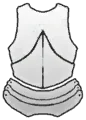 Chest
Chest-%0.00
-%2.71
-%5.42
 Legs
Legs-%0.00
-%2.71
-%5.42
 Shoulders
-%0.00
-%1.09
-%2.17
 Gloves
-%0.00
-%1.09
-%2.17
 Boots
Boots-%0.00
-%1.09
-%2.17
Total: -%0.00
Total: -%10.86
Total: -%21.70
 Shield
-%2.17
----------
-%10.80
Stamina Drain Multiplier From Equipped Armor Pieces
Light ArmorMedium ArmorHeavy ArmorHead+%0
+%11
+%23
Chest+%0
+%30
+%60
Legs+%0
+%18
+%36
Shoulders+%0
+%5
+%11
Gloves+%0
+%5
+%11
Boots+%0
+%5
+%11
Total: +%0
Total: +%74
Total: +%152
Shield+%2
----------
+%23
Damage and stamina drain multiplier depend on armor pieces you equipped.
Heavier the armor, lower the damage you can deal and higher the stamina drain.
Your total damage or stamina drain value is produced by addition of all your equipped armor values.
Heavier the armor, lower the damage you can deal and higher the stamina drain.
Your total damage or stamina drain value is produced by addition of all your equipped armor values.
Relative Protection Comparison Of Equipped Armor Pieces
Light ArmorMedium ArmorHeavy ArmorHead+%10.92
+%19.20
+%19.95
Chest+%13.80
+%23.96
+%24.97
Legs+%13.80
+%23.96
+%24.97
Shoulders-------
+%9.54
+%10.04
Gloves+%5.52
+%9.54
+%10.04
Boots+%5.52
+%9.54
+%10.04
Total: +%49.56
Total: +%95.73
Total: +%100.00
Slashing: +%11.36
Slashing: +%40.22
Slashing: +%35.06
Piercing: +%14.46
Piercing: +%25.49
Piercing: +%47.70
Bludgeoning: +%23.75
Bludgeoning: +%30.02
Bludgeoning: +%17.24
Values does not represent actual protection.
Table compares same tier equipments' relative total protection between types and slots.
Light armor gives little to no reduction.
Heavy armor has best reductions but has slightly lower slashing reduction than medium armor.
It should not be forgotten that heavy armor may also benefit much from abilities.
Table compares same tier equipments' relative total protection between types and slots.
Light armor gives little to no reduction.
Heavy armor has best reductions but has slightly lower slashing reduction than medium armor.
It should not be forgotten that heavy armor may also benefit much from abilities.
No matching entries.
Selected Location
No location selected
Choose a marker or list entry to see details here.
New Poll
Which marker style do you prefer for the 3D map?
0 votes
Coordinates copied
Loading Map
Preparing the world view...
Path of Conquest
User Features
- Save private notes on any location
- Drop your own private pins anywhere on the map
- Keep your filters and visibility preferences saved
- Submit T5 node finds with screenshot proof
- Send location suggestions straight to the owner inbox
Log In